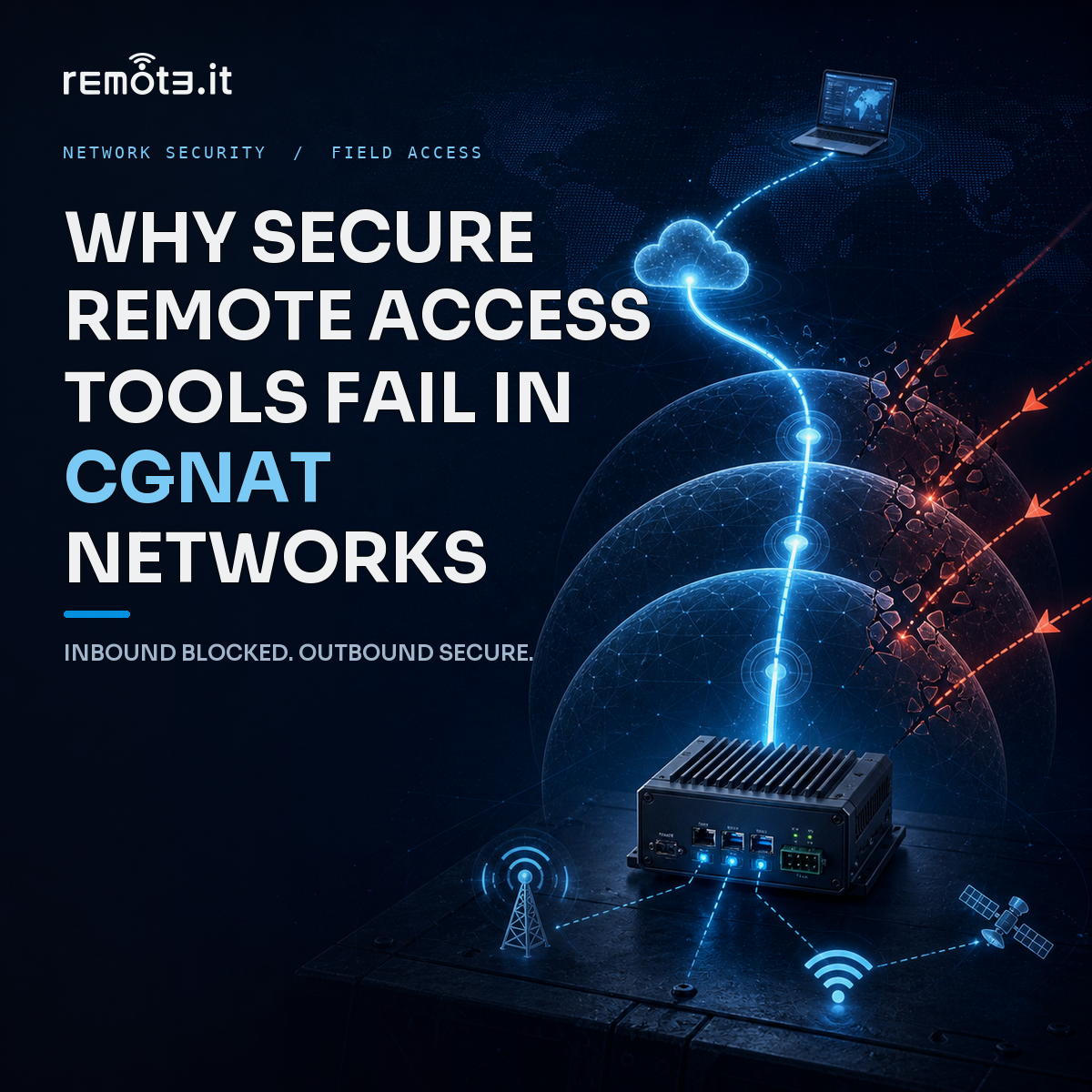
Your engineer tries to SSH into a field device. The connection times out. The IP changed overnight, the carrier blocks inbound traffic, and the device just switched from Wi-Fi to cellular. Sound familiar? This scenario plays out daily across enterprises managing distributed infrastructure.
The problem runs deeper than flaky connections. Modern networks have fundamentally broken the assumptions that traditional secure remote access tools were built on. CGNAT, 5G mobility, and distributed device deployments create environments where conventional approaches simply cannot function reliably.
This guide explains exactly why these failures happen and what your team can do about them. You’ll learn the technical root causes behind connectivity breakdowns, discover which architectural approaches actually solve these challenges, and understand how to build remote access infrastructure that survives network changes.
Key Takeaways: Why Secure Remote Access Tools Fail in CGNAT Networks
-
CGNAT and carrier networks share IP addresses across thousands of devices, making inbound connections impossible to route correctly.
-
Traditional remote access tools assume stable IPs and open inbound ports, two things modern distributed networks rarely provide.
-
5G and satellite networks reassign device IPs constantly, breaking sessions and invalidating access configurations within minutes.
-
Remote.It uses outbound-only connections and service-level access controls to work reliably behind any network type.
-
Zero trust architectures that verify identity rather than IP addresses maintain security even when devices roam across networks.
What Is CGNAT and Why Does It Break Remote Access?
Carrier-Grade NAT (CGNAT) is a network architecture that mobile carriers and ISPs use to conserve IPv4 addresses. Instead of assigning each customer a unique public IP, the carrier shares one public address across hundreds or thousands of subscribers.
Your device receives a private IP from the carrier. When traffic leaves your network, CGNAT performs address translation upstream at the carrier level. This translation happens outside your control, on equipment you cannot configure.
For remote access, this creates an insurmountable problem. Inbound connections require a stable, publicly routable IP address and an available port. CGNAT removes both. An external system trying to reach your device sees only the carrier’s shared IP, with no way to route traffic to your specific device behind the translation layer.
How to Test If Your Device Is Behind CGNAT
Run two commands on the device. First, check the local interface address assigned to your network connection. Then query an external service to see what public IP the internet observes for your traffic.
If these addresses do not match, your device sits behind at least one NAT layer. If the public IP belongs to a shared carrier range, inbound SSH connections cannot reach that device at all. No amount of configuration on your end can fix this because the translation happens at the carrier level.
Why Traditional Remote Access Tools Assume the Wrong Things
SSH, remote desktop protocols, and conventional access solutions were designed for networks engineers control. They expect servers with stable IPs, networks that allow inbound connections, and devices on a consistent transport layer. These assumptions made sense in enterprise data centers and office networks.
They make no sense when your device is a sensor on a mobile generator, a charger on a highway, or an edge computing unit in a customer’s warehouse. Three fundamental assumptions break down in these environments.
Assumption 1: Stable IP Addresses
Traditional tools treat IP addresses as device identifiers. Asset inventories become spreadsheets of addresses. Access control lists reference IP ranges. Engineers find devices by memorizing which IPs map to which sites.
This system fails immediately when carriers reassign IPs with no notification. A device that connected successfully yesterday may have a completely different address today. Your firewall rules, access lists, and documentation become instantly outdated.
Assumption 2: Inbound Port Availability
Standard remote access requires the remote device to listen on a port waiting for incoming connections. This model treats the device as a server that external clients connect to.
CGNAT makes this impossible. Port forwarding requires access to the NAT device performing translation. With carrier-grade NAT, you have no access to that equipment. The carrier controls it, and they have no mechanism to forward specific ports to your specific device among thousands sharing the same public IP.
Assumption 3: Consistent Network Transport
Tunnel-based connections bind to specific network interfaces. When a device switches from cellular to Wi-Fi, or from one cell tower to another, that handoff kills the established connection. Any sessions relying on it terminate without warning.
For devices using both cellular and satellite backup transports, the problem compounds. Cellular reaches public endpoints while satellite connectivity often restricts to private addresses. A device switching between these transports needs entirely new connection infrastructure each time.
How 5G and Starlink Networks Make This Worse
5G networks operate almost exclusively behind CGNAT. Carriers cannot assign public IPv4 addresses to every mobile device, so they translate addresses at massive scale. Your 5G-connected device shares an IP with thousands of other subscribers.
The mobility inherent in 5G compounds the challenge. Devices roam between towers, networks hand off connections constantly, and the carrier can reassign your device’s address at any moment. A stable IP that lasts more than a few hours is unusual.
Starlink and Satellite Network Challenges
Satellite internet introduces additional constraints. Starlink and similar services use CGNAT by default. They also route traffic through different ground stations as satellites pass overhead, causing latency variations and potential IP changes during a session.
Devices deployed in remote locations often rely on satellite as their only connectivity option. These devices sit behind multiple NAT layers with no possibility of inbound connections. Traditional remote access tools cannot function in this environment.
Why Mixed Transport Environments Multiply Problems
Many deployments use multiple network types for redundancy. A device might connect via cellular normally but fail over to satellite when cellular is unavailable. It might also connect to customer Wi-Fi when available.
Each network type has different NAT characteristics, different IP assignment behavior, and different firewall restrictions. Credentials and configurations that work on one transport may fail on another. Managing this complexity manually at fleet scale becomes operationally impossible.
Customer Firewalls Add Another Layer of Failure
Devices deployed into customer environments face network restrictions beyond CGNAT. Warehouses, retail locations, and field operations centers run their own firewalls. Their security policies typically prohibit persistent inbound connections from external vendors.
Even willing customers create operational burdens. Each new site requires coordinating with their IT team to configure specific ports and protocols. This coordination sits at the bottom of their priority list. When rules finally get configured, you have no way to verify correctness until the next connection attempt fails.
The Per-Site Configuration Burden
Every customer site becomes a unique networking project. You learn their firewall policies, negotiate port access, document configurations, and test connectivity. This work repeats for every deployment location.
The support burden grows linearly with your customer base. At fifty sites, managing site-specific configurations consumes significant engineering time. At five hundred sites, it becomes unsustainable without dedicated networking staff.
Split Tunneling Configuration Issues
When customers allow access through their network, they often require specific routing configurations. Traffic destined for internal resources should flow one direction while general internet traffic flows another.
Configuring this incorrectly either routes customer traffic through your network inappropriately or cuts devices off from local resources they need to function. Each misconfiguration requires troubleshooting calls with customer IT staff who may not understand your device’s requirements.
Why Connections Need to Flow Outbound, Not Inbound
The solution to CGNAT, customer firewalls, and transport switching is to reverse the connection direction entirely. Instead of trying to reach devices that may be unreachable, have devices reach out to infrastructure you control.
This approach uses outbound connections from the device to a proxy or relay service. Almost every network permits outbound HTTPS traffic on port 443. By initiating connections outbound, devices bypass all inbound restrictions. No port forwarding required. No public IP required. No customer firewall negotiations required.
How Outbound-Only Architecture Works
An agent on the device maintains a persistent outbound connection to a cloud-hosted relay. This connection stays active through keep-alive messages. When an engineer needs to access the device, their session routes through this existing outbound tunnel.
The device never exposes a listening port. External scanners cannot detect it. Attackers cannot initiate connections to it. The only pathway to the device flows through authenticated channels on infrastructure you control.
Surviving Network Handoffs
When a device switches networks, the outbound connection detects the break through keep-alive failures. The agent immediately establishes a new outbound connection on whatever network interface is currently available.
This reconnection happens automatically without engineer intervention. Sessions may pause briefly during handoff but resume once connectivity restores. The device remains reachable regardless of how many times its network changes or what IP address it currently holds.
What Zero Trust Network Access Means for Distributed Devices
Zero trust architecture operates on a simple principle: verify everything, trust nothing by default. This applies regardless of where a connection originates. A device inside your network receives the same scrutiny as one connecting from a coffee shop.
For distributed device fleets, zero trust means abandoning IP-based identity entirely. Devices receive cryptographic identities at enrollment that persist regardless of network changes. Access decisions reference these identities rather than IP addresses that change constantly.
Service-Level Access Instead of Network-Level Access
Traditional network access grants broad permissions. Once connected, users can attempt to reach any resource on that network segment. This all-or-nothing model creates excessive access that compliance frameworks increasingly prohibit.
Service-level access grants permission to specific services only. An engineer might have SSH access to a device but no access to its database service. A monitoring system might query telemetry endpoints but cannot execute commands. Each permission maps to a specific capability rather than general network presence.
Remote.It implements this service-level model natively. You define individual services on each device and share access to those specific services with authorized users. Someone with SSH access cannot pivot to other services or other devices without explicit authorization.
Why IP-Based Access Control Fails
Access control lists built on IP ranges become maintenance nightmares in dynamic environments. Every time an IP changes, every firewall rule and access policy that referenced it becomes incorrect.
At fleet scale, tracking which IPs belong to which devices requires constant manual updates. Engineers develop tribal knowledge about which address ranges map to which deployment sites. This knowledge walks out the door when staff leave.
Identity-based access control removes this problem. Policies reference device identities and metadata labels rather than network addresses. A policy granting access to devices in a specific deployment works correctly even if every device in that deployment changes its IP simultaneously.
How Remote.It Solves CGNAT and Distributed Network Challenges
Remote.It was built specifically for environments where traditional remote access fails. The platform works behind CGNAT, 5G, Starlink, and any other network topology because it never requires inbound connections or public IP addresses.
Devices running the Remote.It agent maintain outbound connections to the Remote.It cloud. When you need to access a device, your session routes through this existing infrastructure. The device itself remains invisible to the public internet.
No Exposed Attack Surface
Traditional remote access tools require devices to listen on ports waiting for connections. Every listening port creates an entry point that attackers can probe, scan, and attempt to exploit.
Remote.It devices have zero listening ports facing the internet. No inbound connections possible means no inbound attack vectors. Port scanners find nothing. Vulnerability scanners have nothing to target. The device exists on the network but remains cloaked from discovery.
Automatic Reconnection Across Network Changes
When networks change, Remote.It connections re-establish automatically. A device switching from cellular to satellite, moving between cell towers, or reconnecting after a power cycle restores its connection without manual intervention.
This automation removes the operational burden of managing dynamic networks. Your team focuses on the work they need to accomplish rather than troubleshooting connectivity issues caused by network changes outside your control.
Granular Access at the Service Level
Remote.It access permissions operate at the individual service level. You grant SSH access without granting HTTP access. You permit monitoring queries without permitting administrative commands. Each user receives precisely the access their role requires.
This granularity supports compliance requirements that prohibit excessive permissions. Auditors can verify that access follows least-privilege principles because the access model enforces those principles structurally.
What to Look for in Zero Trust Remote Access Solutions
Not all solutions marketed as “zero trust” actually implement zero trust principles. Understanding what genuine zero trust looks like helps you evaluate options effectively.
Outbound-Only Connectivity
True zero trust for distributed devices requires outbound-only connection models. Any solution requiring inbound ports or public IPs cannot function reliably behind CGNAT and cannot minimize attack surface effectively.
Ask vendors explicitly how their solution works behind carrier-grade NAT. Request technical documentation explaining the connection architecture. Solutions that cannot answer clearly likely rely on traditional inbound models.
Cryptographic Device Identity
Devices should receive cryptographic identities at enrollment rather than relying on network addresses for identification. These identities should persist across reboots, network changes, and relocations.
Access policies should reference these identities and associated metadata. A policy granting access to devices in a specific deployment should work correctly even if every device in that deployment changes its IP simultaneously.
Service-Specific Permissions
Access should grant permission to specific services rather than general network presence. A user granted SSH access should not automatically receive access to every other service running on that device.
This granularity requires the solution to understand individual services and enforce boundaries between them. Network-layer solutions that grant access to “the device” rather than specific services cannot give this protection.
Building Remote Access Infrastructure That Scales
The approach that works for ten devices often breaks catastrophically at a thousand devices. Planning for scale from the beginning prevents painful migrations later.
Centralized Management and Visibility
You need a single view showing all devices, their connectivity status, and their access permissions. Managing devices through individual configurations does not scale beyond small deployments.
Remote.It offers centralized dashboards showing your entire device fleet. Device status, connection history, and access logs aggregate in one location. You can search, filter, and manage thousands of devices without visiting each one individually.
Automation Through APIs
Manual device enrollment and configuration creates bottlenecks as fleets grow. APIs that automate provisioning, access management, and monitoring become essential infrastructure.
Integration with existing tools and workflows reduces operational overhead. Devices can self-register during manufacturing. Access can provision automatically based on employee role changes. Monitoring systems can query device status without custom integrations.
Cost Models That Support Growth
Per-device pricing models can become prohibitive at scale. Understand how costs grow as your fleet expands. Models with usage-based or tiered pricing often work better for large deployments than simple per-device rates.
Factor in operational costs beyond licensing. Solutions requiring significant staff time for maintenance and troubleshooting may cost more overall than higher-priced options that work reliably without intervention.
Common Mistakes When Implementing Secure Remote Access
Organizations implementing remote access for distributed devices frequently make predictable mistakes. Understanding these patterns helps you avoid them.
Underestimating Network Diversity
Pilot deployments often occur on well-controlled networks that resemble traditional enterprise environments. Production deployments then fail when devices encounter CGNAT, restrictive firewalls, or mobile networks.
Test your solution on the most challenging networks in your deployment before committing. If devices will operate on cellular, test on cellular. If customers have restrictive firewalls, test behind similar restrictions.
Choosing Solutions Based on Current Scale
Tools that work well for small deployments may not support the scale you need in two years. Migrations between remote access solutions disrupt operations and require significant engineering investment.
Evaluate solutions based on your projected scale, not your current deployment size. Check reference customers at similar or larger scale. Understand what changes occur as you grow beyond current vendor tier limits.
Ignoring Credential Lifecycle Management
Devices operating autonomously need credentials that survive reboots without human intervention. These long-lived credentials create security risks if not managed properly.
Ensure your solution supports automated credential rotation. Understand how credentials get revoked when devices are decommissioned. A stolen device holding valid credentials can access your network until someone manually revokes access.
In Conclusion: Building Resilient Remote Access for Modern Networks
Traditional remote access tools were not designed for the networks devices operate on today. CGNAT, 5G mobility, Starlink, and customer-controlled firewalls have broken fundamental assumptions about IP stability and inbound connectivity.
The solution requires architectural changes, not configuration tweaks. Outbound-only connections, cryptographic device identity, and service-level access controls address root causes rather than symptoms. These approaches work regardless of network topology because they do not depend on conditions modern networks cannot guarantee.
Remote.It implements these architectural principles as a production-ready platform. Your devices connect reliably behind CGNAT. They remain invisible to internet scanning. Access grants precisely the permissions users need and nothing more. Your team focuses on productive work rather than fighting network connectivity issues.
The networks where devices operate will continue changing. 5G adoption accelerates. Satellite connectivity becomes mainstream. IPv4 exhaustion pushes more networks toward CGNAT. Building your remote access infrastructure on principles that survive these changes protects your investment and your operations.
FAQs about Why Secure Remote Access Tools Fail in CGNAT Networks
What is CGNAT and why does it break traditional remote access tools?
CGNAT (Carrier-Grade NAT) shares a single public IP address across thousands of subscriber devices. Traditional tools require unique IPs and inbound connections to reach devices. Since CGNAT performs address translation at the carrier level outside your control, inbound traffic cannot route to your specific device.
Can I configure port forwarding to work around CGNAT?
No. Port forwarding requires access to the NAT device performing translation. With CGNAT, the carrier owns and operates that equipment. They have no mechanism to forward ports for individual subscribers among the thousands sharing each IP address.
How does Remote.It work behind CGNAT and 5G networks?
Remote.It uses outbound-only connections from your devices to cloud infrastructure. Devices initiate connections out rather than waiting for inbound connections. This approach works behind any NAT type because outbound traffic is permitted on virtually every network.
What happens when a device changes networks or IP addresses?
With traditional tools, sessions break and access configurations become invalid. Remote.It automatically detects connection loss and re-establishes connections on the new network. Device identity persists independently of IP addresses, so access policies remain valid through network changes.
Why is service-level access more secure than network-level access?
Network-level access grants permission to reach any service on connected network segments. Service-level access grants permission only to specific services you authorize. If credentials are compromised, attackers can only access the specific services those credentials permit rather than your entire network.
How do zero trust principles apply to distributed devices?
Zero trust verifies every access request regardless of origin. For distributed devices, this means cryptographic identity verification, service-level permissions, and continuous validation. Devices do not receive trust based on their network location. Remote.It enforces these principles by default.
What network types does Remote.It support?
Remote.It works on any network type with outbound internet access. This includes CGNAT, 5G cellular, Starlink satellite, customer-controlled firewalls, and multi-layered NAT environments. The outbound-only architecture removes dependency on specific network configurations.